VoxBridge

Private translation for real conversations.

VoxBridge lets two people speak different languages and understand each other instantly through a simple, natural, face-to-face experience.

One phone. One shared pair of AirPods. Two languages. A cleaner, more personal way to bridge conversation without turning it into a loudspeaker moment.

The phone is meant to sit between both people, so each side can see the part of the interface designed for them. The mirrored orientation is part of the product, not a UI mistake.
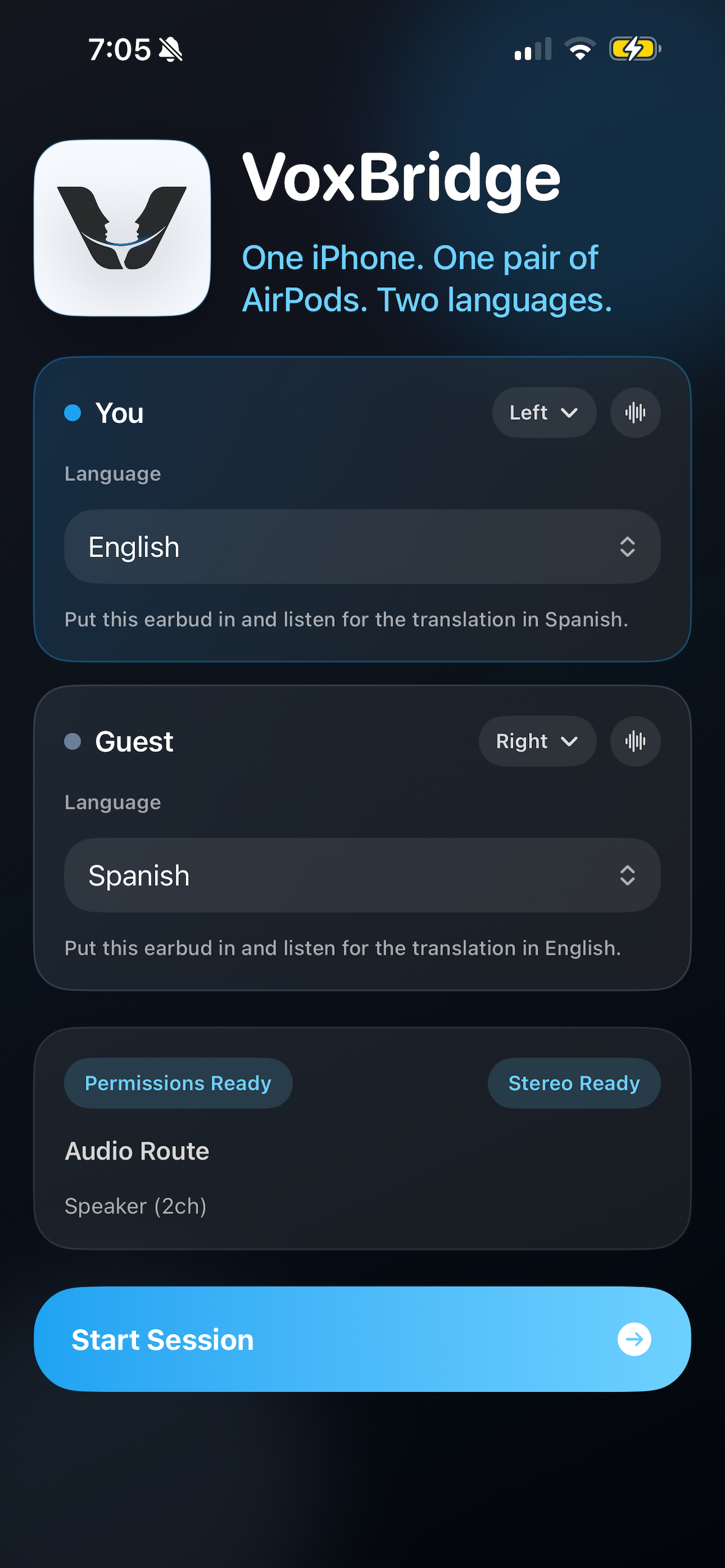
VoxBridge setup screen

Signature Experience

Shared earbuds, separate languages, one natural exchange.

VoxBridge is designed around a specific human moment: two people standing face to face with the phone placed between them, each hearing translation privately, each able to respond clearly, and neither forced into an awkward speaker-based interaction.

Why It Matters

Most translation apps break the flow of a real conversation.

Speaker-based translation is often too public, too awkward, and too disruptive for the moment people are actually in. It changes the feel of the interaction and makes simple conversation feel performative.

VoxBridge takes a more human approach. It is private, deliberate, and designed specifically for face-to-face communication between two people who want to stay present with each other.

Typical translation apps

Public audio, clumsy handoffs, and interfaces that pull attention away from the people trying to talk.

VoxBridge

Private listening, clear turn-taking, and a conversation flow that feels personal instead of robotic.

How It Works

Thoughtful product design, shown step by step.

Each screen is doing real work to make the conversation easier. The product story is not just translation accuracy. It is the way the interface supports confidence, privacy, and momentum from the first tap onward.

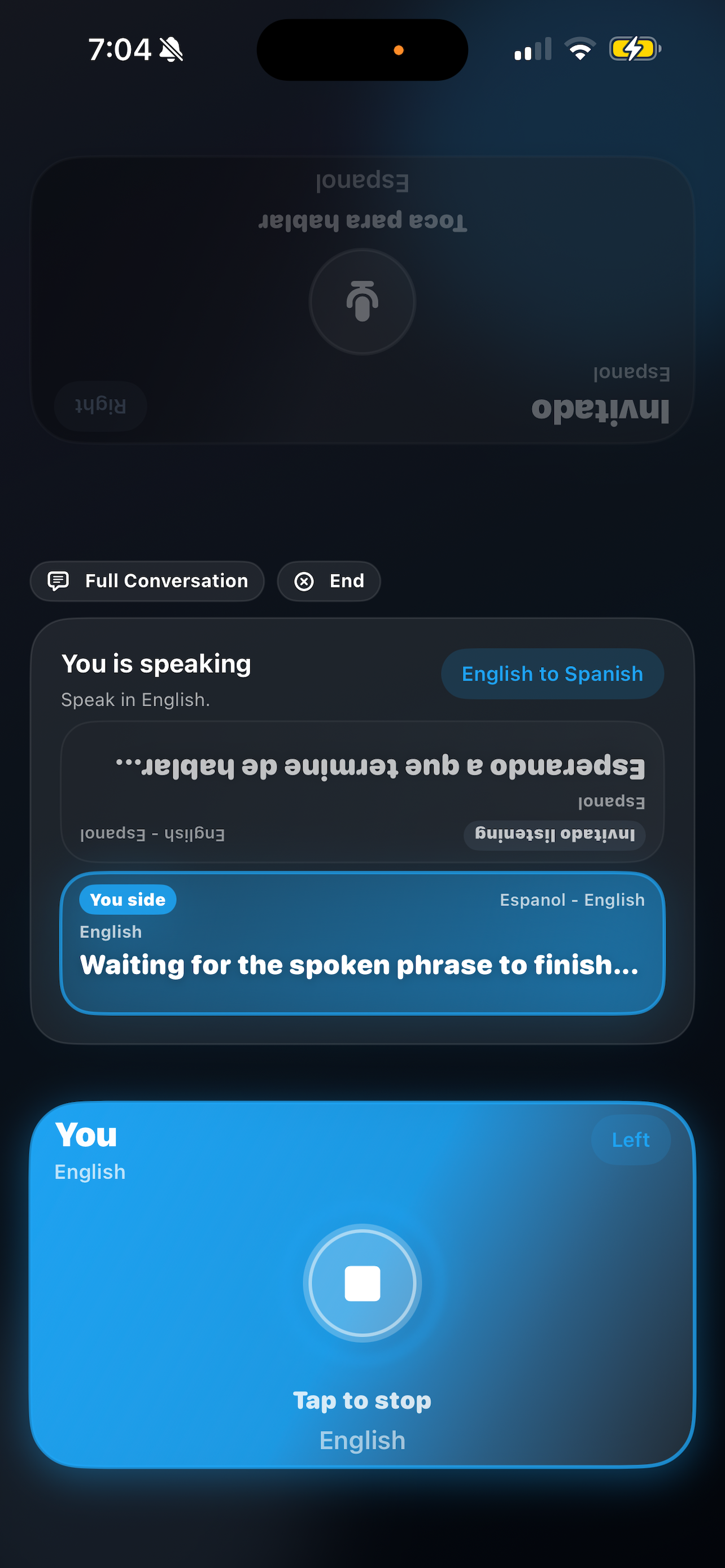
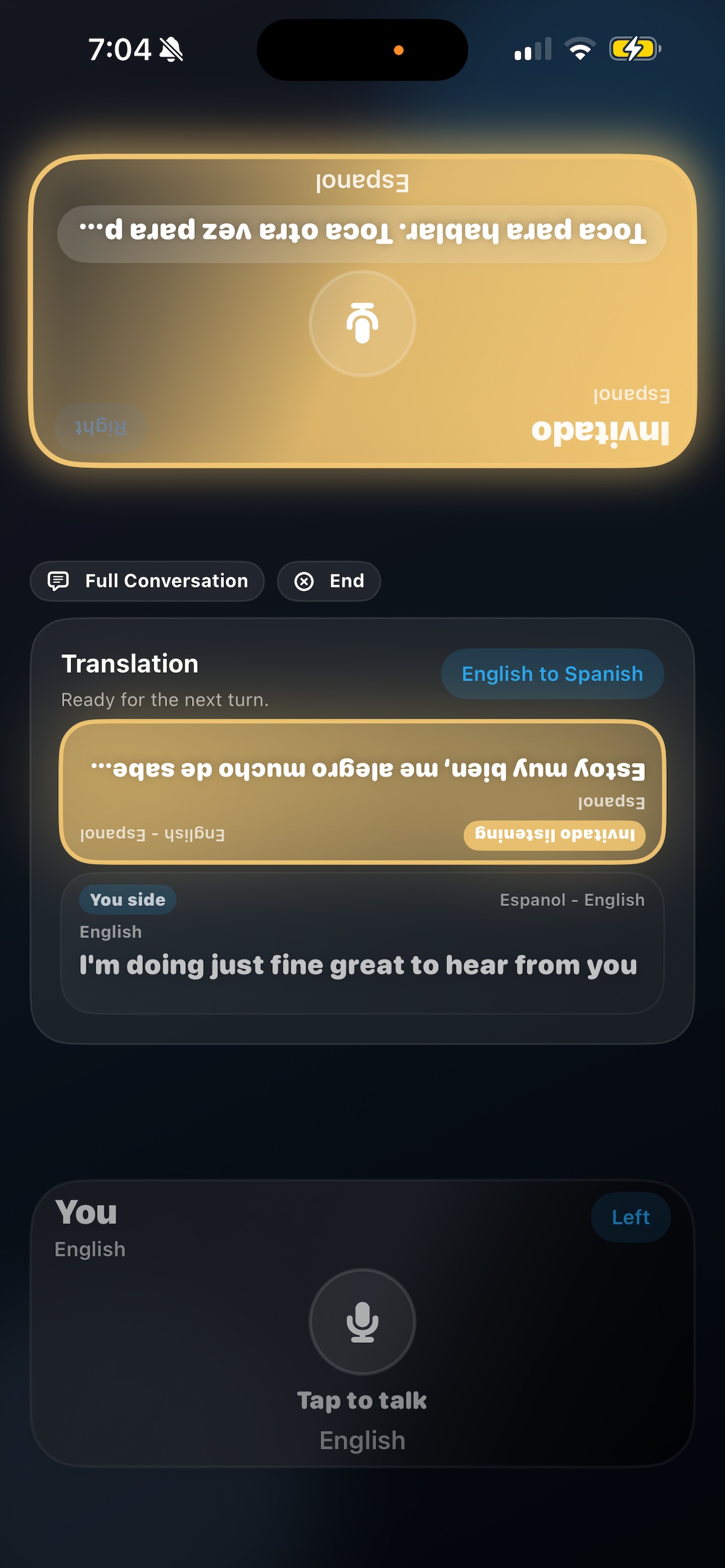
The mirrored speaking screens are intentional. VoxBridge is designed for the phone to rest between the two people, so each person sees the controls and prompts oriented toward them during the exchange.

VoxBridge setup screen with language and earbud assignment

Step 1

Simple setup

Start with a screen that is clear at a glance. Two people choose their languages, assign which ear each translation should play into, confirm audio routing, and begin in seconds without digging through menus.

The setup screen also handles language selection directly, which keeps onboarding fast and avoids burying a critical choice behind extra steps.

VoxBridge speaking screen for the primary user

Step 2

You speak

When it is your turn, the phone sits between both people so each side can see the controls facing them. Push to talk, speak naturally, and let VoxBridge capture your phrase cleanly before delivering the translated result to the other person in a way that feels controlled instead of chaotic.

VoxBridge guest response screen during translation

Step 3

They respond

The guest side is just as considered. Because the phone is placed between the two people, the mirrored upside-down view is intentional and easy for the other person to read from their position. They can reply in their own language through the same deliberate turn-based flow.

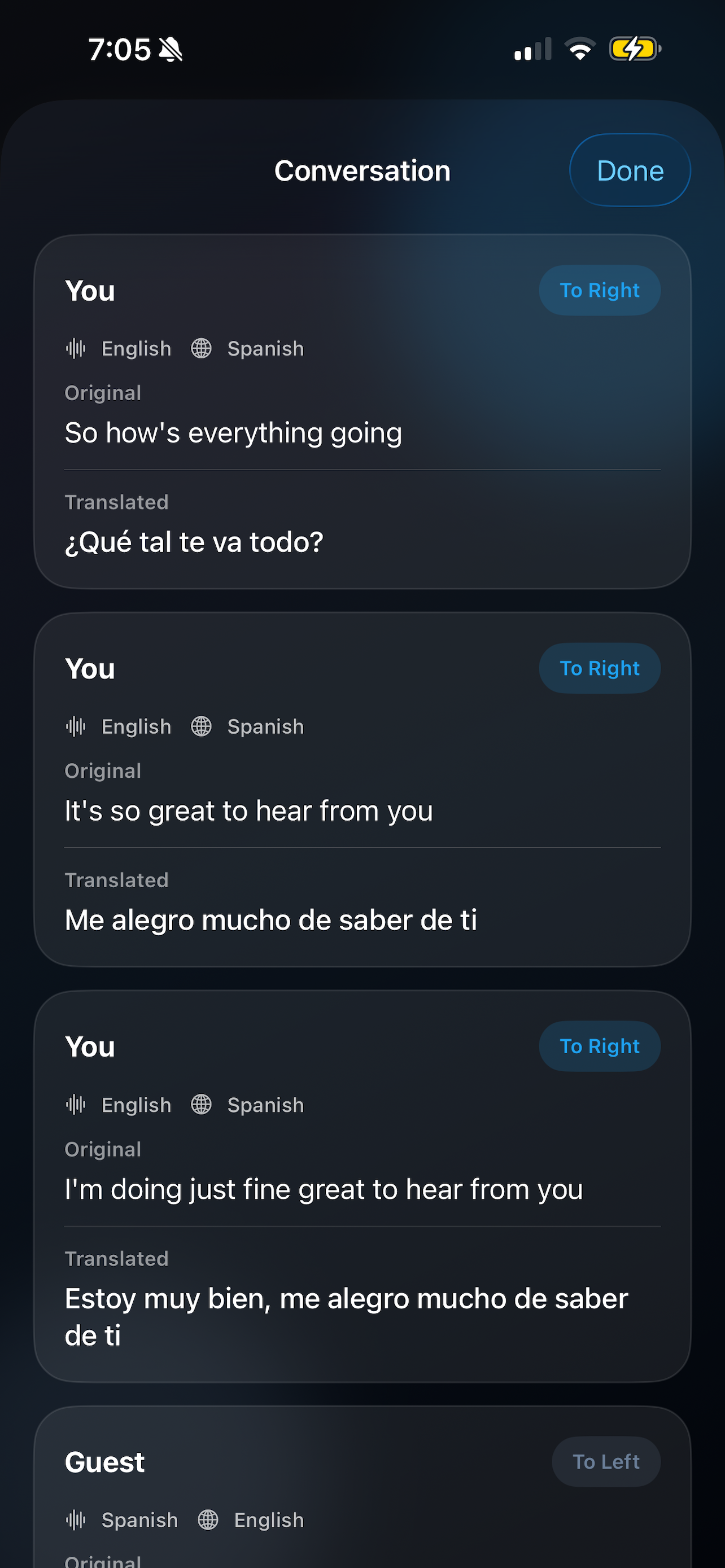
VoxBridge conversation history showing original and translated phrases

Step 4

Real conversation

A clean conversation view preserves context without clutter. Original phrases and translated responses stay visible together, so people can confirm meaning, keep momentum, and return to the thread when a moment matters.

Key Features

Built around clarity, discretion, and low-friction use.

Feature

Private audio translation

Translation is directed into each person's ear instead of broadcast into the room, making the interaction feel more discreet and more comfortable.

Feature

Built for real conversations

VoxBridge is designed around face-to-face human interaction, not generic machine translation workflows or awkward handoffs.

Feature

Push-to-talk clarity

A deliberate turn-taking flow helps reduce overlap, keeps speech capture cleaner, and makes translation easier to follow in both directions.

Feature

Simple and intuitive

Language selection, session setup, and conversation controls are all straightforward, so people can start talking instead of learning the interface.

Feature

Clean, focused interface

Every screen is built to reduce friction and keep attention on the conversation itself rather than on managing the app.

Use Cases

Useful in the moments where language friction is most human.

VoxBridge works because it is built around person-to-person interaction, which makes it relevant across travel, work, service, and everyday life.

Travel

Navigate new places without language barriers and handle in-person interactions in a calmer, more discreet way.

Business

Communicate clearly in meetings, introductions, and negotiations where precision and confidence matter.

Hospitality

Serve guests and customers more smoothly across languages in environments where tone and speed both count.

Everyday conversations

Connect with people naturally in ordinary moments without making the technology the center of the interaction.

Why VoxBridge Is Different

The breakthrough is not just translation. It is how the conversation feels.

Most apps treat spoken translation like a public utility: say something, play it out loud, hope the room works around it. VoxBridge treats it like a human interaction problem instead.

The shared earbud experience changes the tone immediately. It is more discreet, more personal, and more intentional. People can stay focused on each other, not on the device mediating between them.

That is what makes VoxBridge feel clever. It solves the same problem as other translation tools, but in a way that is calmer, more private, and much closer to how real conversation should work.

Most apps

Speaker-based, public, interruptive, and often awkward in close face-to-face settings.

VoxBridge

Shared earbuds, discreet communication, and a conversation model designed to feel personal rather than performative.

It is a better fit for the real-world moment two people are actually in.

Final CTA

Start having real conversations across languages today.

VoxBridge brings private real-time translation into a form that feels genuinely usable in person. If you need help, support, or product information, use the links below.

Product support: support@fourssolutions.com